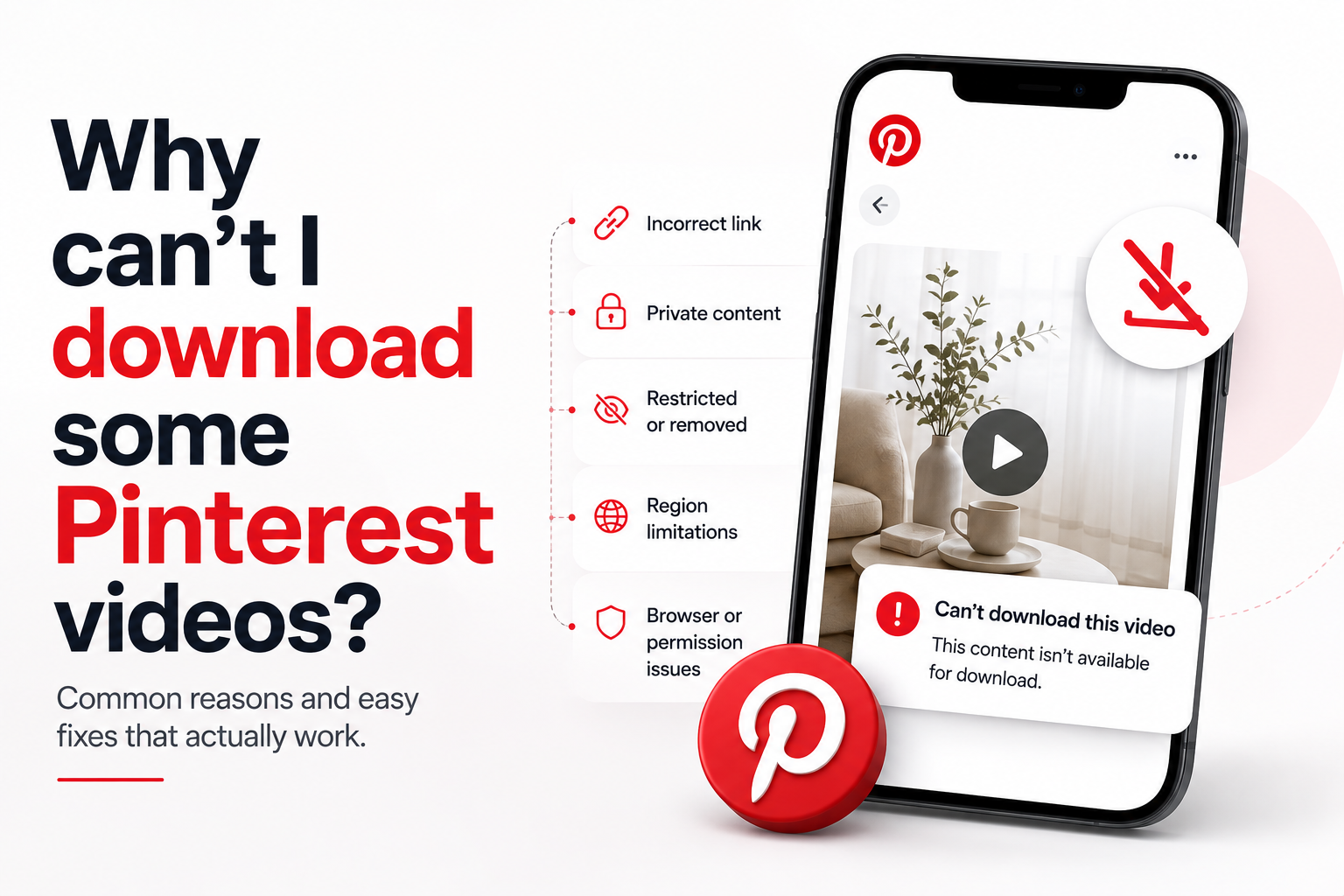
Why Can't I Download Some Pinterest Videos?
Most Pinterest videos download in a few seconds. Then one pin refuses. You paste the link, the page thinks for a moment and you get an error, a still image or nothing at all.
The tool is rarely the problem. Pinterest decides what the public can see and a downloader can only reach what your own browser can reach. Once you understand that single rule, every failure on this list starts to make sense. This guide walks through each cause, tells you how to recognise it and explains which ones you can fix.
Quick answer: A download fails for one of three reasons. The link points to the wrong page, the pin is not publicly visible or the pin is not a standard video. Private boards, secret boards, deleted pins and region-locked videos will never download with any tool. Wrong links, browser blocks and connection timeouts you can fix in under a minute.
Start With the Link Before You Blame the Tool
Roughly half of all failed downloads come down to the link. People copy the wrong address without noticing, because Pinterest shows several kinds of page that all look similar on a phone.
A pin link points to one single pin. It contains /pin/ followed by a long number, like pinterest.com/pin/123456789012345678. That is the only format a downloader can read.
Three other addresses cause trouble. A board link ends with a board name. A profile link ends with a username. A search link contains /search/. All three point to a collection of pins rather than to one video, so the tool has nothing specific to fetch.
Short links behave well. A pin.it address redirects to the full pin page, so the Pinterest video downloader follows it without any extra step from you.
The fix takes five seconds. Open the video so it fills its own screen, tap the share icon, choose Copy link and paste it again. If the link now contains /pin/ and the download still fails, move on to the next cause.
The Pin Sits Behind a Privacy Setting
This is the most common reason a correct link still fails and no tool on the internet can work around it.
Pinterest gives people three ways to hide a pin. A secret board stays visible only to its owner and to anyone invited to it. A private profile limits everything the account posts. An unpublished draft never becomes public at all.
A downloader reads the same public page your browser reads. When Pinterest hides that page, the server returns nothing to read, so the tool reports the pin as private or invalid.
Here is a quick test. Open the link in a private or incognito window, where you are logged out. If Pinterest shows you the video, a downloader can reach it. If Pinterest asks you to log in or shows an error, the pin is private and the answer is settled.
You have one honest route in that situation. Ask the owner to make the board public or to send you the file directly. Anything that promises to unlock private pins is either lying or asking for your password and neither ends well.
The Pin or the Account Is Gone
Pinterest links stay in circulation long after the content behind them disappears. You might find the pin in your own saved boards, in a screenshot or in an old message.
Several things remove a video from the platform. The creator deletes the pin. The creator deletes the whole account. Pinterest removes the pin after a policy report. A copyright claim takes the video down. In each case the file leaves the servers and no tool can bring it back.
The symptom looks different from a privacy failure. Instead of a private content message you usually see a not found error because the page itself no longer exists.
Test it the same way. Open the link in Pinterest. If Pinterest cannot show you the pin either, nothing else will.
One habit prevents most of this. When you find a video you genuinely want to keep, download it that day rather than saving the link for later.
The Video Is Blocked in Your Country
Some videos play in one country and refuse in another. Music rights cause most of these blocks, followed by brand campaigns that target specific markets and content rules that differ by region.
The block sits in the delivery layer rather than in the pin itself. Pinterest serves its videos through a content delivery network, which caches files on servers spread around the world and hands each visitor the copy closest to them. That same system knows roughly where a request comes from, so it can refuse to serve a file in a region where the rights do not apply.
You will notice a pattern when this happens. The pin page loads normally, the thumbnail appears and only the video refuses to play or download. A private pin fails at the page level, while a region block fails at the file level.
There is no reliable fix on your side. The restriction belongs to Pinterest and to the rights holder, so treat the video as unavailable rather than as broken.
The Pin Holds Several Pages
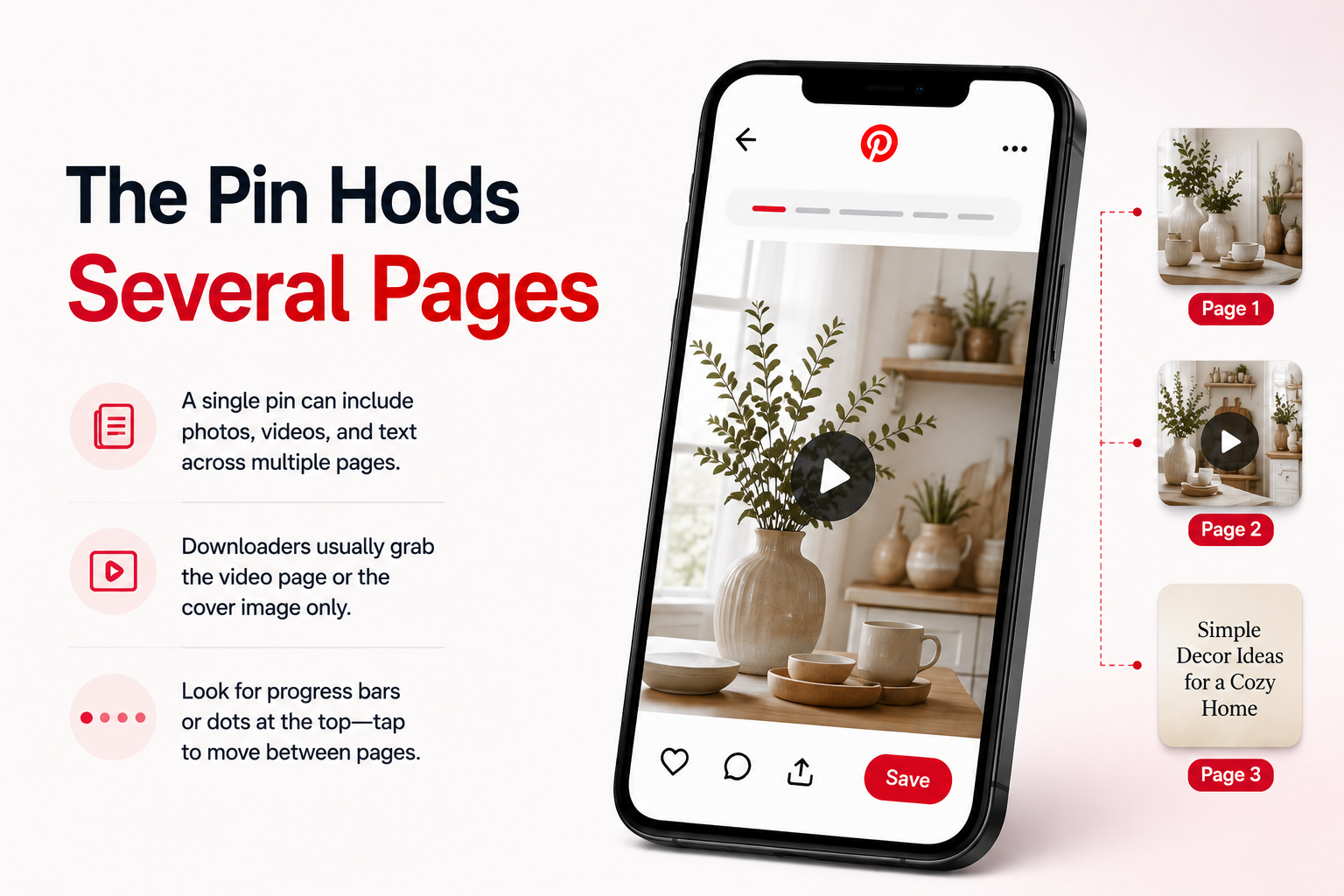
Pinterest folded its story format into the standard pin format, so a single pin can now carry several pages. One page might hold a photo, the next a video and the third a block of text.
A downloader reads the pin as one object. When several pages sit inside it, the tool usually returns the page that holds the video and ignores the rest. Sometimes it returns the cover image instead, which looks like a failure even though the tool worked as designed.
You can spot these pins easily. Small progress bars or dots run across the top of the pin and tapping moves you forward one page at a time.
Try opening the specific page that plays the video, then copy the link again. Pinterest does not always give each page its own address, so this works some of the time rather than always.
The Pin Is Not a Video at All
Pinterest fills its feed with motion. Cover images animate on scroll, product pins rotate through photos and some pins simply loop a short clip. All of that movement makes it easy to assume a pin holds a video when it does not.
A downloader tells you the truth here. It reports that no video track exists or it hands you a still image, because a still image is all the pin contains.
Check the pin before you try again. A real video pin shows a play button, a progress bar or a mute icon. A photo pin shows none of those, no matter how much the layout moves around it.
When the pin turns out to be a photo, the pinterest image downloader returns the original file at full resolution instead of the cropped version you would get from a screenshot. That distinction matters if you plan to edit the image later.
Age Limits and Sensitive Content
Pinterest applies restrictions to some content and those restrictions sit between the page and the file.
Age-gated pins require a logged-in account that meets the age requirement. Sensitive content sits behind a warning screen you have to accept before the media loads. Both cases block a downloader for the same reason: the tool never receives the file, only the gate in front of it.
The failure message looks generic, which makes this cause hard to identify. If the pin needs any kind of confirmation before it plays for you, expect a downloader to fail on it.
Promoted Pins and Ad Formats
Most promoted pins behave like normal pins and download without trouble. A few do not.
Advertisers can run formats that live inside Pinterest's ad system rather than in the ordinary pin feed. Collection ads, shopping formats and some campaign types serve their media through tracking layers that a downloader cannot follow.
Campaign scheduling adds another wrinkle. An ad that ran last month may stop serving entirely once the budget ends, even though the link still opens.
This one is worth a shrug rather than a fight. Advertising media rarely matters for personal saving and the brand behind it usually posts the same video on its own channels.
Your Browser or Phone Blocks the Save
Sometimes the download works perfectly and your own device stops the file from landing.
- Download permission is off for the site. Chrome and Safari can block automatic downloads per site. Check the site settings in your browser and allow downloads.
- Storage space ran out. A phone with a full drive cancels the save without much explanation.
- An extension interferes. Ad blockers and privacy extensions sometimes cut the request that fetches the file. Test once in a private window with extensions disabled.
- Android asks for a permission you dismissed. Reopen the page and accept the prompt when it appears.
- iPhone opened the video in a new tab. Tap and hold the video, then choose Download Linked File.
- A work or school profile restricts downloads. Managed devices often block file saving outright and only the administrator can change that.
Run through these before you switch tools. A device-side block looks identical to a tool-side failure from where you are sitting.
The Connection or the Server Gives Up
Not every failure has a permanent cause. Some are simply bad timing.
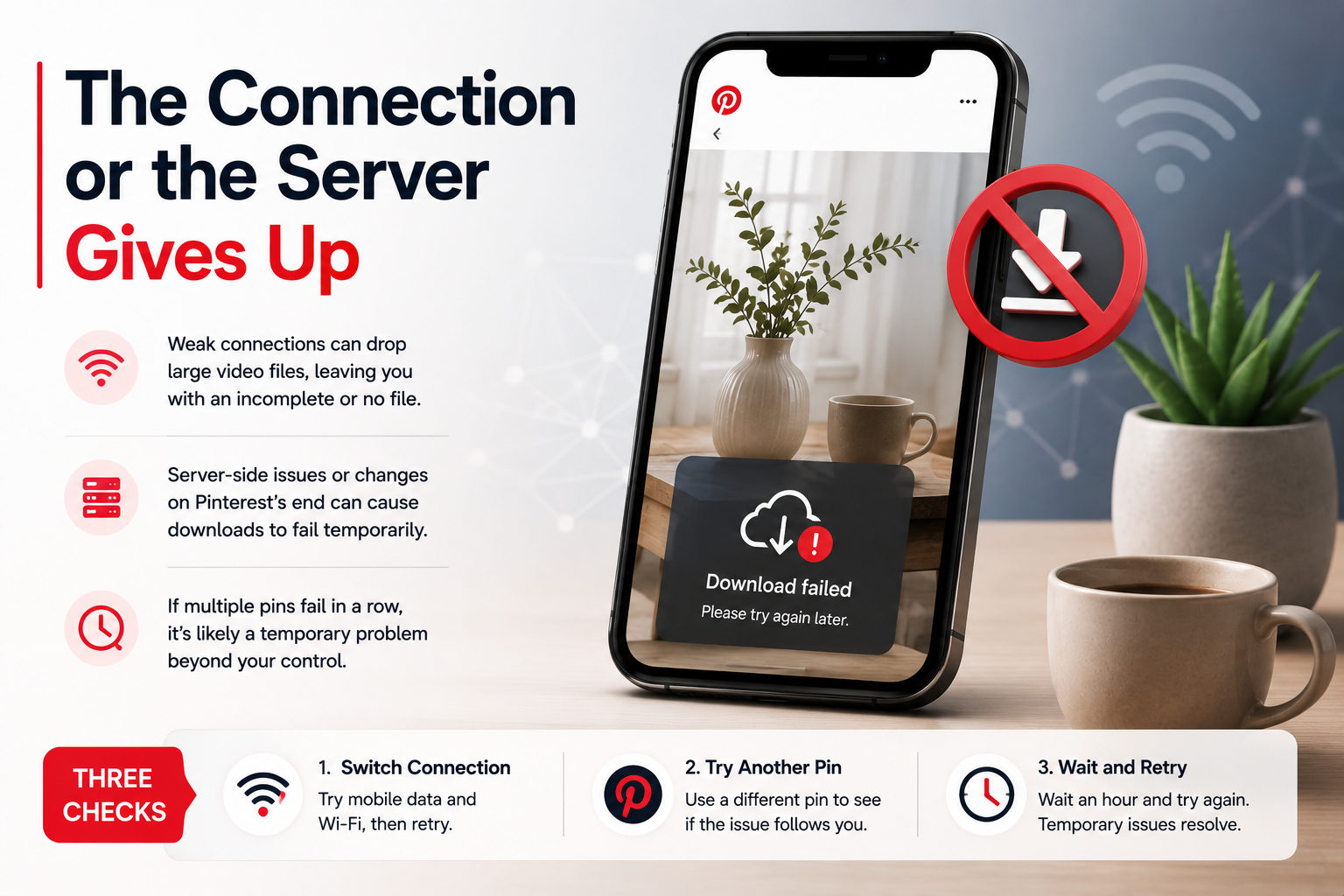
Pinterest video files run from a couple of megabytes to thirty or more. A weak mobile signal drops the transfer partway through and you end up with a file that will not play or with no file at all.
Server-side hiccups happen too. Pinterest changes something on its side or the delivery network has a rough hour and downloads fail across the board for a while. When several different pins fail in a row, suspect this rather than your link.
Three checks sort it out. Switch between mobile data and Wi-Fi, then retry. Try a completely different pin to see whether the problem follows you. Wait an hour and try again because temporary problems resolve without your help.
Animated Pins Save as a Single Frame
Looping pins cause a specific and confusing failure. The download succeeds, you open the file and the animation has become one motionless picture.
The reason is format. Some looping pins are true GIF files rather than videos. A video tool looks for a video track, finds none and falls back to a still frame, which flattens the animation completely.
Nothing is broken here. You simply used the wrong tool for the format. The pinterest GIF downloader keeps the animation intact because it reads the pin as an animated file rather than as a video.
Check the pin if you are unsure. A GIF-style pin loops endlessly with no play button, no progress bar and no sound control. A video pin gives you at least one of the three.
Work Through the Causes in This Order
Diagnosis gets much faster when you rule out the cheap causes first. This order moves from the quickest check to the slowest.
| Step | Check | What it rules out |
|---|---|---|
| 1 | Does the link contain /pin/? | Board, profile and search links |
| 2 | Does the pin open in a logged-out window? | Private boards and private profiles |
| 3 | Does Pinterest itself still show the pin? | Deleted pins and removed accounts |
| 4 | Does the thumbnail load but the video refuse? | Region blocks |
| 5 | Does the pin show a play button? | Photo pins and animated pins |
| 6 | Do the pages scroll sideways? | Multi-page pins |
| 7 | Does a different pin download fine? | Server and connection problems |
| 8 | Does a private window work? | Browser blocks and extensions |
Two outcomes cover almost everything. If steps 1, 5, 6, 7 or 8 explain the failure, you can fix it yourself in a minute. If steps 2, 3 or 4 explain it, the pin is out of reach and no tool changes that.
Keep the last point in mind when you shop around. A site claiming it can download private, deleted or region-locked pins is advertising something impossible and that claim tells you plenty about the rest of the site.