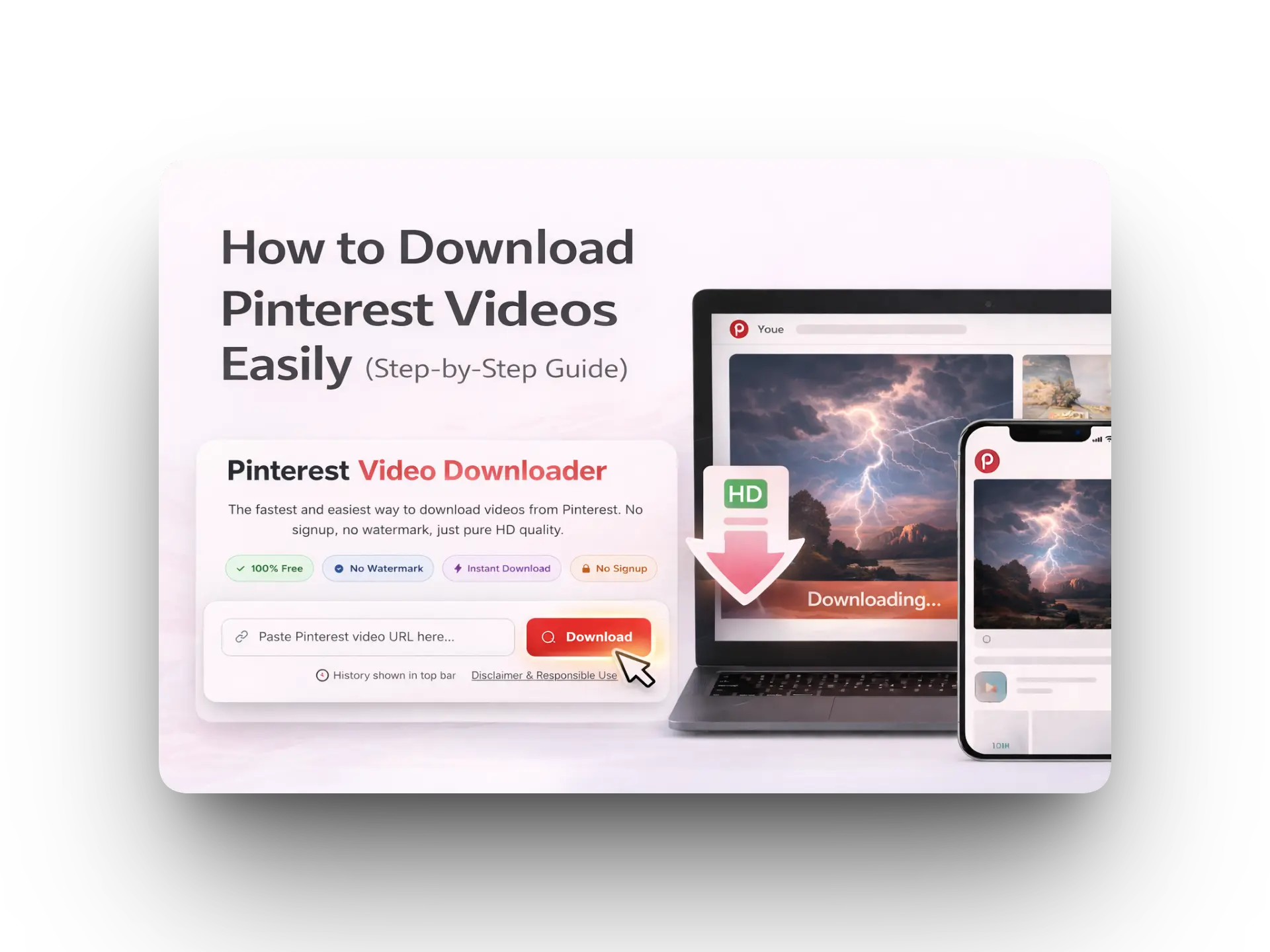
How to Download Pinterest Videos (2026 Guide)

PinVideo Team 6 min read
Download Pinterest videos with PinVideo

Quick tip: Use only public pins. If a pin is private, the downloader may not fetch the video.

Table of Contents

  1. What You Need
  2. Step 1: Copy the Pinterest Link
  3. Step 2: Open PinVideo.io
  4. Step 3: Paste the Link
  5. Step 4: Download
  6. Troubleshooting
  7. FAQ

What You Need

  • A Pinterest video link (public pin)
  • Chrome / Safari / Edge
  • Stable internet

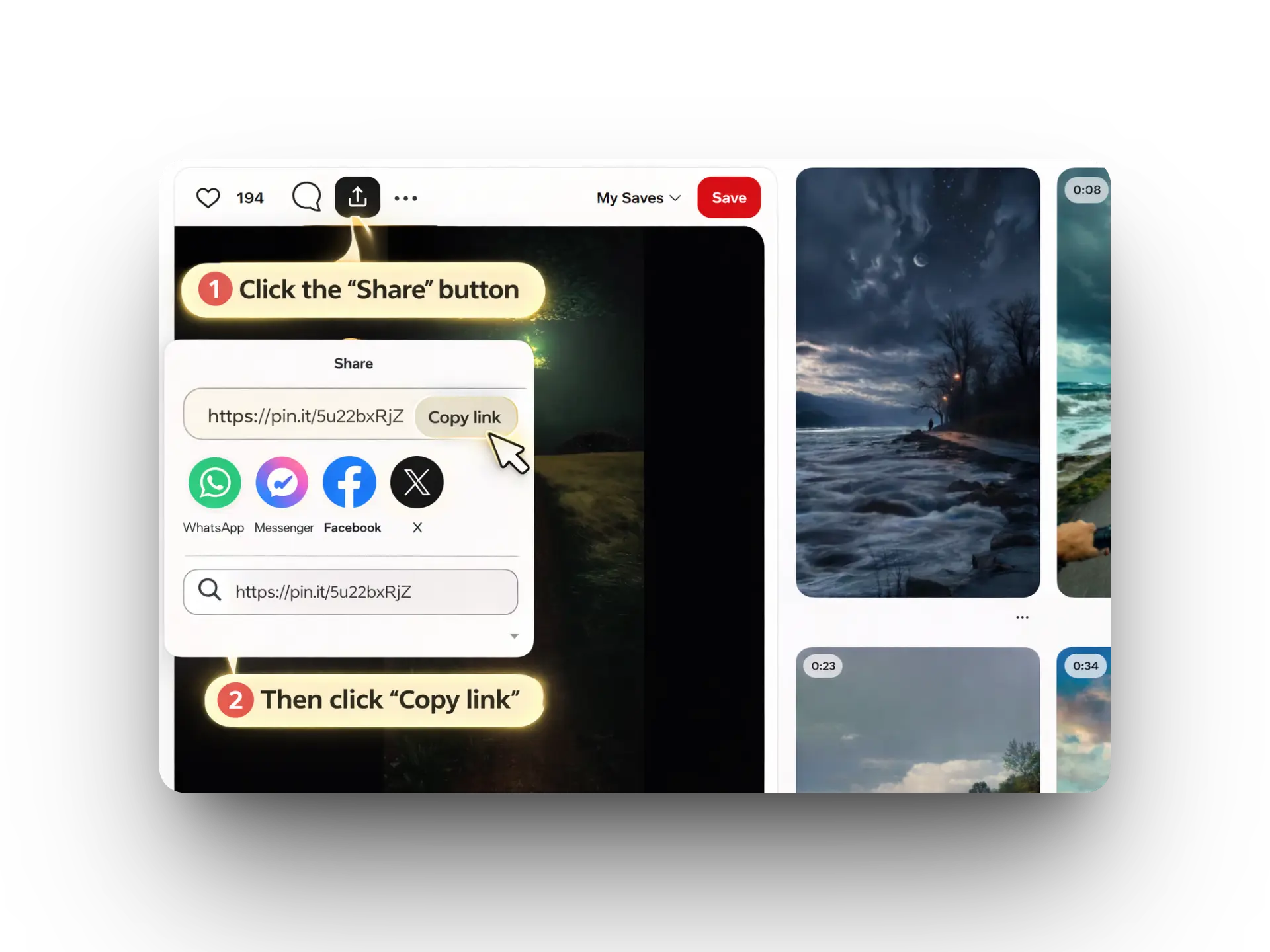
Step 1: Copy the Pinterest Link

Tap ShareCopy link.

Copy Pinterest link

Step 2: Open PinVideo.io

Go to https://pinvideo.io.

Step 3: Paste the Link

Paste the copied link in the input box. Make sure it’s complete.
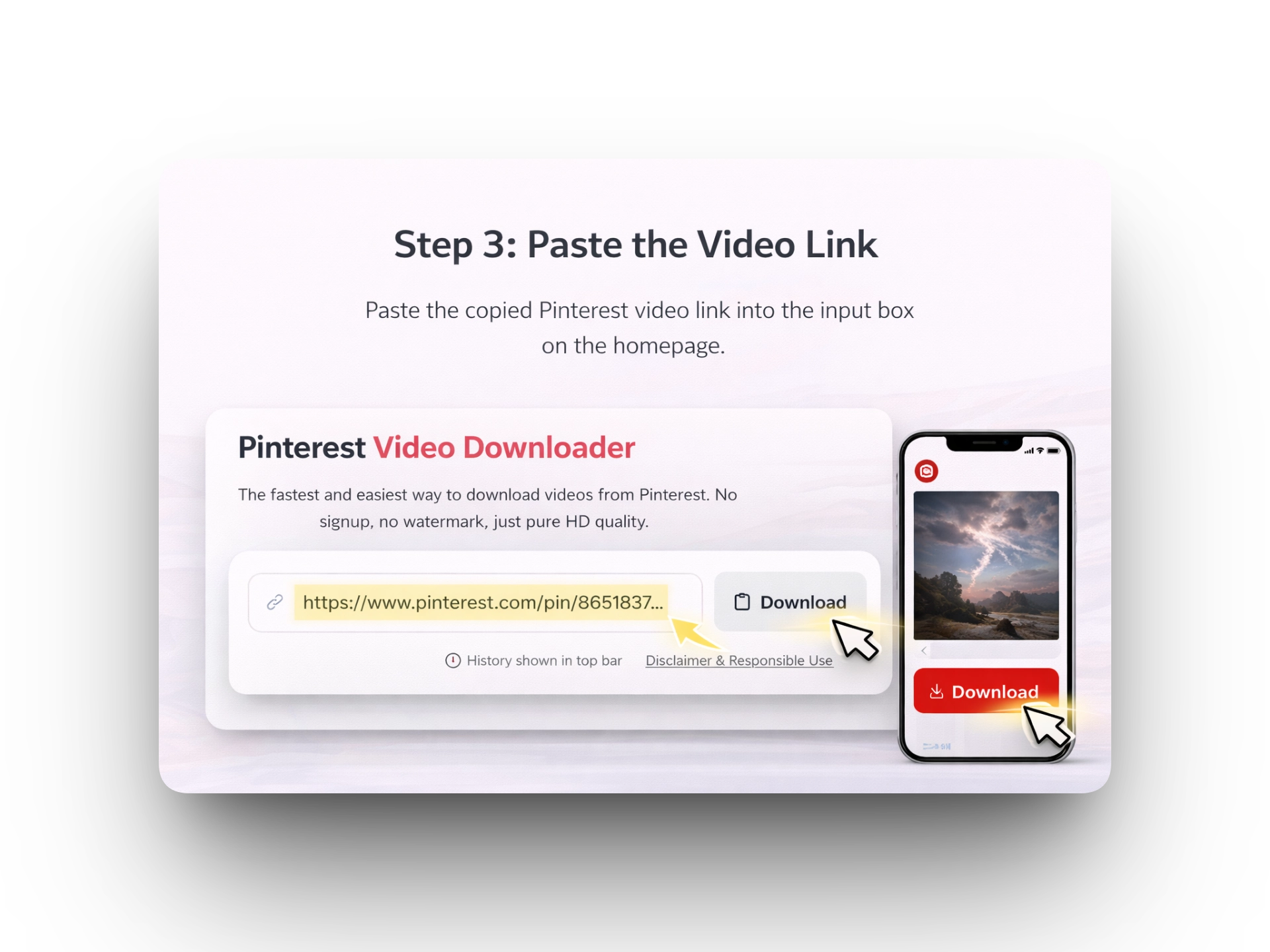
Paste link in PinVideo

Step 4: Download

Click Download, then select HD/1080p if available.

Troubleshooting

  • Copy the full URL again and paste freshly (no extra spaces).
  • Try another browser or disable ad-blocker.
  • Refresh and try again (Pinterest can be slow).

FAQ

Is it free?

Yes.

Does it work on iPhone?

Yes, directly in your browser.

About PinVideo

Fast, free, and privacy first Pinterest video downloader built for everyday users.

Who We Are

PinVideo.io is a simple online tool that helps you download Pinterest videos in the best available quality without watermarks, without signups, and without apps.

Our Mission

Our mission is to make saving creative content easy and accessible while keeping the experience clean, fast, and respectful. We encourage responsible personal use and support creator rights.

Founder Story

Hi, I’m Junaid a digital marketing expert focused on SEO, growth, and building user-first tools. I created PinVideo after seeing how often people relied on screen recording just to save inspiration. PinVideo makes it quick, simple, and reliable.

Want to start downloading? Paste a Pinterest link above and click Download.

Disclaimer & Responsible Use